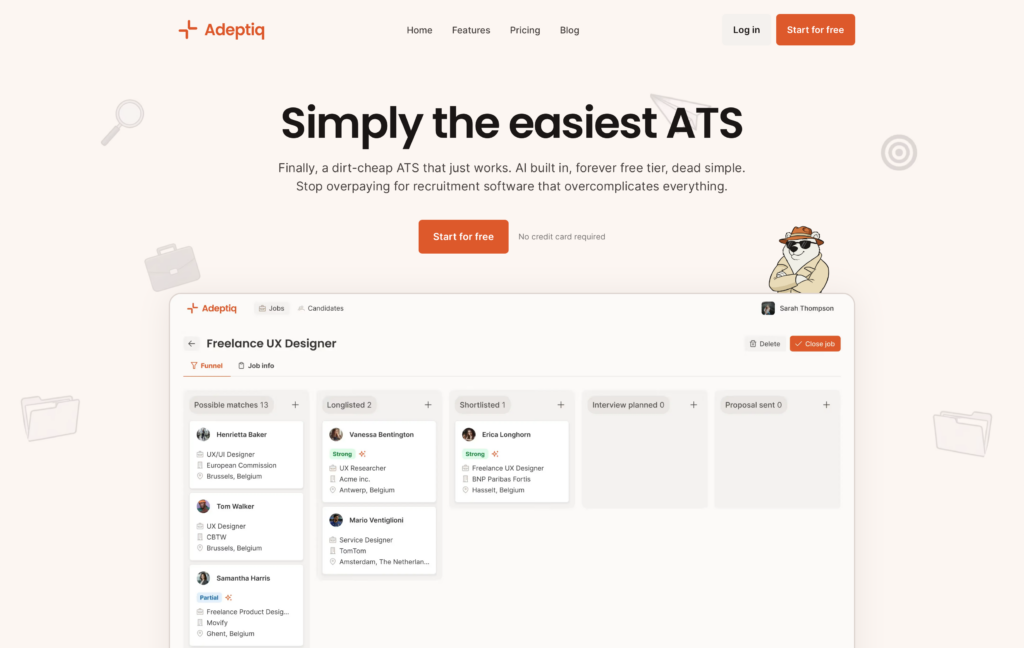
A few months ago I wrote about the tech stack behind Adeptiq. That post covered the backend, the AI, the infrastructure. This one covers the part I didn’t talk about: the landing page of Adeptiq.
Getting a good landing page up for a SaaS product shouldn’t be this hard. But we went through four tools and three real attempts before we found something that worked. Here’s what happened.
Attempt 1: Vue.js + Contentful
Our app frontend is Vue.js, so the first instinct was: just build the landing page in Vue too, and use Contentful as a headless CMS so my non-technical co-founder could manage content.
It didn’t work out as well as I thought.
The fundamental problem was that a single-page application is the wrong architecture for a marketing site. Vue renders everything client-side, which means Google initially sees an empty page. SEO was bad. You can work around this with SSR or prerendering, but at that point you’re fighting the framework instead of using it. Or at least that was how I felt about it.
Contentful with Vue also did zero image optimization out of the box. Whatever image you uploaded was served at full size, in the original format. No resizing, no WebP, no AVIF. For a landing page where images matter, that’s a problem. I suppose I could have programmed all of that, but initially I didn’t want to spend too much time on the landing page.
Takeaway: headless CMS + SPA is good for apps. For a marketing site where SEO and page speed matter, it’s a mismatch.
The WordPress detour
Before moving to the next attempt, we gave WordPress a shot. Because hate it or love it, WordPress is king for SEO and theming.
We found a nice-looking SaaS theme, set it up, and… it was painfully slow. We’re talking multiple seconds of load time, even on a decent server.
We tried the usual things. Stripped unnecessary plugins, optimized images, configured caching. Didn’t help enough, the theme itself was just bloated. Pretty on the outside, heavy on the inside.
Attempt 2: Framer
After the WordPress disappointment, Framer felt like a breath of fresh air. Beautiful visual builder, gorgeous templates, and we had a good-looking landing page live within a day. My co-founder could edit content without asking me.
For a few months, it worked fine. Then we started noticing problems…
Cost. Framer limits you to 1 CMS collection on their plan. We needed separate collections for blog posts, feature pages, and legal pages. That means a Pro plan and paying per CMS. For what’s essentially a landing page with a blog, the cost adds up fast. Especially since they also charge extra per user.
CMS limitations. Maximum of 10 collections, 10,000 items per collection. No complex data relationships. Basic formatting only. No “updated date” field for blog articles — you can’t show readers or Google when a post was last refreshed. Fine for a portfolio, painful for a growing SaaS site with multiple content types.
SEO problems we actually hit. This is the big one. Framer’s heading hierarchy was broken: we had H2s jumping to H6s, which is semantically wrong and hurts SEO. Worse: Framer duplicates every content block 2–3 times in the DOM for responsive design. Google’s index showed all that repeated text, polluting our search snippets. The auto-generated sitemap.xml had no lastmod dates, so search engines couldn’t tell what was fresh.
No structured data. Framer had zero support for JSON-LD schema markup out of the box. No Organization schema, no SoftwareApplication schema, no FAQ markup. We had to manually write and inject all of it, and even then we were limited by what Framer lets you add via custom code.
SPA tracking was broken. Framer uses client-side routing, so our Matomo analytics only tracked the initial page load. Navigating between pages showed the same URL. We had to write custom JavaScript to intercept history.pushState and manually fire pageview events. Even that broke: Framer re-executes script blocks on every navigation, which meant the History API got wrapped multiple times, causing duplicate pageviews. We spent way too much time debugging this.
No MCP support for CMS operations. This one became relevant as we started using AI tools more in our workflow. Payload CMS has an official MCP plugin: you can connect Claude or other AI tools directly to your CMS and let them create posts, update pages, manage content programmatically. Framer has a third-party marketplace plugin that manipulates the design canvas, but that’s not the same thing. You can’t use it to manage your CMS content.
Framer is a great tool for getting a landing page up fast. But once you need real SEO control, structured data, multiple content types, and reliable analytics you start fighting it.
Attempt 3: Payload CMS + Next.js
This is what we’re on now, and what stuck.
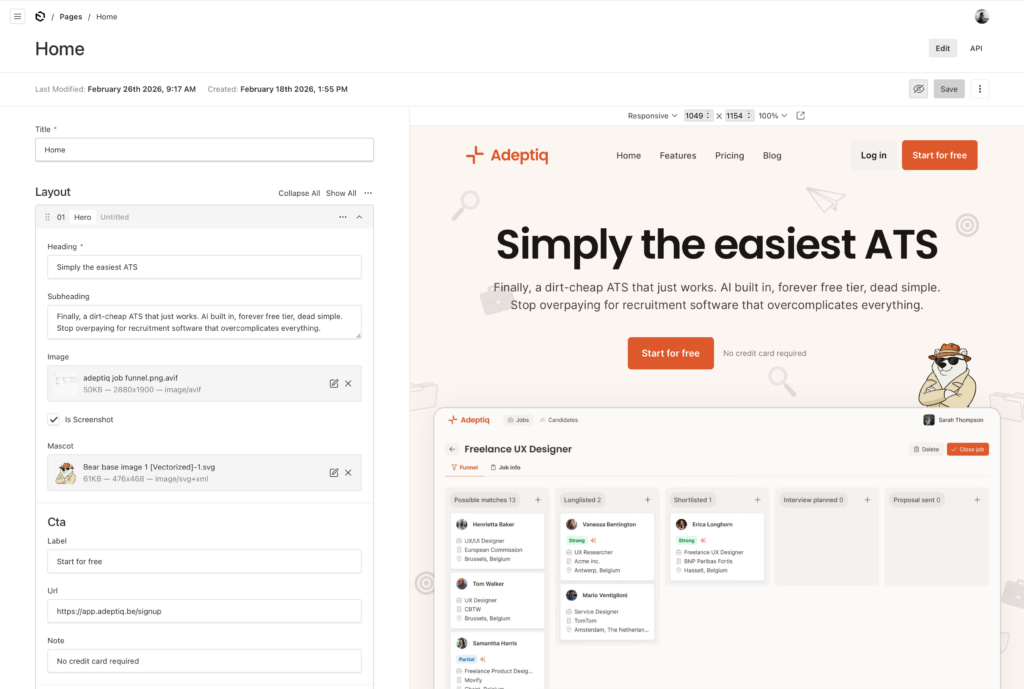
Payload CMS is open-source, self-hosted, TypeScript-native, and has a first-class blocks field type. That last part is the killer feature for landing pages.
The idea is simple: as a developer, you define a set of reusable blocks: hero section, features grid, media-with-text, pricing table, FAQ, CTA banner. Each block has a fixed schema with specific fields. Your non-technical co-founder then assembles pages by picking blocks and filling in the fields. They don’t touch any styling or markup. The developer controls all rendering, all HTML output, all SEO.
It’s more work upfront than Framer. You need to design and build each block. But once they exist, building new pages is fast and the output is exactly what you want.
The frontend is Next.js, which gives us:
- Proper server-side rendering. Clean, semantic HTML. View source and you see real content, not a JavaScript bundle. Google sees exactly what users see.
- Built-in image optimization. Automatic AVIF/WebP conversion, responsive
srcset, lazy loading. This alone was a big win over both Vue + Contentful and Framer. - Proper heading hierarchy. H1 → H2 → H3, as it should be. No duplicate blocks in the DOM for responsive design — just CSS doing its job.
What we built on top of Payload:
- Rich structured data. Organization, SoftwareApplication, WebPage, FAQ, BlogPosting schemas, … all generated programmatically from our content. Every page gets the right JSON-LD automatically. No manual injection, no custom code blocks. This is something we really invested in and it was trivial to implement properly because we control the rendering.
- Clean sitemaps with
lastmod. We generate our own sitemap.xml with proper last-modified dates, because we control the build. - Full control over blog dates. Published date, updated date, author — all first-class fields in our blog collection.
- MCP integration. Payload’s official MCP plugin lets us connect Claude Code to our CMS. Useful for content operations and bulk updates.
- Self-hosted on Scaleway. Blazing fast and a fraction of the cost of Framer’s Pro plan. We were already running our infrastructure there anyway.
The tradeoffs
I don’t want to pretend Payload is all upside. There are real tradeoffs.
You need a developer on the team. My co-founder can assemble pages and write blog posts, but adding a new block type or changing the structure requires code changes.
You’re responsible for everything Framer gave you for free: hosting, sitemaps, SSL, deployments. If you’re already comfortable with containers and infrastructure, this isn’t a big deal. If you’re not, it’s a real burden.
The initial setup takes more time. With Framer, we had something live in a day. With Payload, it took a bit longer to design the blocks, build the frontend, and set up structured data. But the ongoing maintenance is much easier.
Conclusion
Don’t use an SPA framework for your marketing site. Server-rendered or static is the right call. Your app can be a SPA — your landing page shouldn’t be.
Be careful with WordPress themes. The pretty ones are often the slowest, and “optimizing” a bloated theme is a losing battle.
Visual builders like Framer are great for prototyping and getting something live fast. Use them to validate your messaging before investing in a custom setup. But expect to outgrow them once you need real SEO control, multiple content types, structured data, and reliable analytics.
The “boring” approach — code your own blocks, use a proper CMS, host it yourself — takes more time upfront but pays off as your site grows. If you have a developer on the team, it’s worth the investment.
And don’t underestimate how much your non-technical co-founder needs to own the marketing site. Whatever you build, they should be able to create pages, write blog posts, and update content without waiting on you. Payload’s block-based approach handles this well.
Four tools, three real attempts. The one that stuck was the one that gave us full control…